
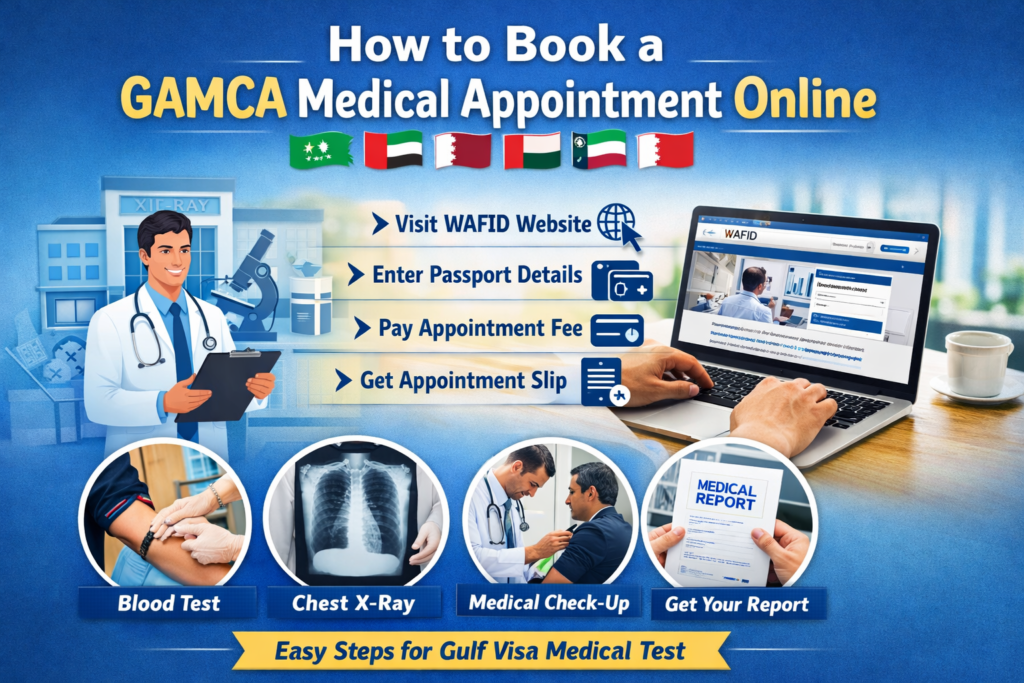
If you are planning to work in Gulf countries such as Saudi Arabia, UAE, Qatar, Oman, Kuwait, or Bahrain, you must complete a GAMCA medical test before applying for your visa. The appointment for this test is booked online through the official WAFID/GAMCA system.
What is GAMCA Medical?
GAMCA (Gulf Approved Medical Centers Association) is a system that assigns medical centers for workers traveling to Gulf countries. The appointment is now managed through the WAFID online portal.
Before getting a work visa for Gulf countries, applicants must undergo several medical tests, including:
-
Blood Test
-
Chest X-Ray
-
Physical Examination
-
Infectious Disease Screening
These tests ensure that the worker is medically fit to work in Gulf countries.
Step-by-Step Process to Book a GAMCA Medical Appointment Online
Step 1: Visit the Official WAFID Website
Open your browser and go to the official WAFID/GAMCA website. This is the only authorized platform for booking the appointment.
Avoid third-party or fake websites to prevent fraud.
Step 2: Select Your Country and Visa Type
After opening the website:
-
Choose India as your country.
-
Select the destination country (Saudi Arabia, UAE, Qatar, etc.).
-
Choose the visa type (Work Visa / Employment Visa).
This step ensures the system assigns the correct medical center.
Step 3: Enter Passport Details
You will need to fill in the following information:
-
Passport Number
-
Nationality
-
Date of Birth
-
Passport Issue Date
-
Passport Expiry Date
Make sure all details match exactly with your passport.
Step 4: Fill Personal Information
Next, enter your personal details such as:
-
Full Name
-
Gender
-
Mobile Number
-
Email Address
-
Destination Country
Double-check your spelling before proceeding.
Step 5: Pay the Appointment Fee
After submitting your details, the system will ask for the GAMCA medical appointment fee.
Payment can usually be made through:
-
Debit Card
-
Credit Card
-
Net Banking
-
Online Payment Gateway
Once payment is successful, your appointment will be confirmed.
Step 6: Download the Medical Appointment Slip
After completing the payment, you will receive a medical appointment slip.
This slip contains:
-
Assigned Medical Center
-
Appointment Number
-
Candidate Details
-
Test Date
Download and print this slip because you must carry it to the medical center.
Documents Required for GAMCA Medical Test
Before visiting the medical center, prepare these documents:
-
Original Passport
-
Passport Copy
-
Appointment Slip
-
Passport-size Photos
-
Visa Copy (if available)
Without these documents, the medical test may be delayed.
Important Tips for GAMCA Appointment
✔ Always book from the official website only.
✔ Check all details carefully before payment.
✔ Reach the medical center 30–60 minutes early.
✔ Avoid alcohol and heavy food before the test.
✔ Carry extra passport photos.
How Long Does the GAMCA Medical Process Take?
Usually, the medical examination takes 1–2 hours. The results are typically uploaded to the system within 24–72 hours, depending on the medical center.
If the result is FIT, you can proceed with your visa process.
Final Words
Booking a GAMCA medical appointment online is an essential step for anyone planning to work in Gulf countries. By following the steps mentioned above, you can easily complete the booking process without any confusion.
Always ensure that your passport details are correct, keep your documents ready, and attend the appointment on time to avoid delays in your visa processing.