
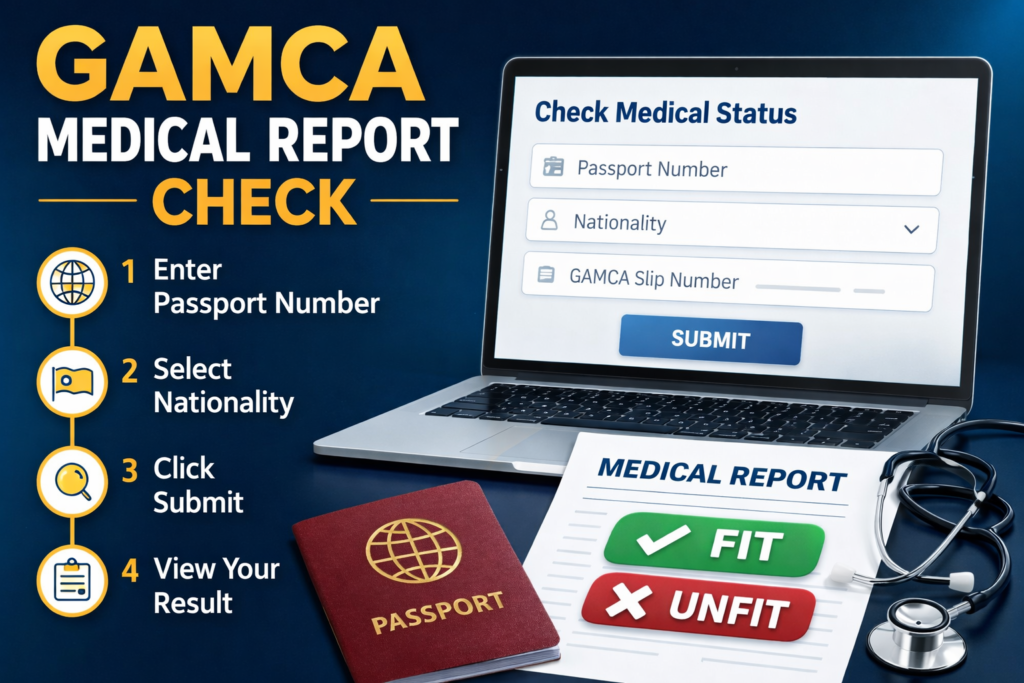
If you are planning to work in Gulf countries like Saudi Arabia, UAE, Qatar, Oman, Kuwait, or Bahrain, you must complete the GAMCA (GCC Approved Medical Centers Association) medical test. After the medical examination, many applicants want to know how to check their GAMCA medical report online.
The good news is that you can easily verify your GAMCA / WAFID medical report status online using the official website. This guide will explain the complete process step-by-step.
What is a GAMCA Medical Report?
A GAMCA medical report confirms whether a worker is medically fit to travel and work in GCC countries. The report is issued after tests such as:
-
Blood test
-
Chest X-ray
-
Physical examination
-
Infectious disease screening
The result is usually FIT or UNFIT, and it is directly linked to your visa processing.
Step-by-Step: How to Check GAMCA Medical Report Online
Follow these simple steps to check your report:
1. Visit the Website
Go to the WAFID GAMCA website:
2. Open the “Check Medical Status” Option
On the homepage, find the “Check Medical Status” or “Medical Report Status” option.
3. Enter Your Details
You will need to enter the following information:
-
Passport Number
-
Nationality
-
GAMCA Slip Number (sometimes required)
4. Click on Submit
After entering the required details, click Submit.
5. View Your Medical Status
Your report status will appear on the screen. The result will show:
-
FIT – You are medically eligible to travel
-
UNFIT – You need further medical advice or cannot travel
How Long Does GAMCA Medical Report Take?
Usually, the report is available within:
-
24 to 72 hours after the medical test
-
Sometimes same day depending on the medical center
Common Problems While Checking the Report
Sometimes applicants face issues such as:
1. Report Not Showing
This usually means the report has not been uploaded yet.
2. Wrong Passport Number
Double-check the passport number used during registration.
3. Website Error
Try checking again after a few hours.
Tips for Applicants
-
Always keep your GAMCA medical slip safe.
-
Use the same passport number used during appointment booking.
-
Wait at least 24 hours before checking the report.
FAQ – GAMCA Medical Report Check
1. Can I check my GAMCA medical report online?
Yes, you can check your report online using the WAFID official website.
2. How many days does the GAMCA medical report take?
Usually 1–3 days after the medical test.
3. What if my GAMCA report shows UNFIT?
If your report shows UNFIT, you may not be eligible for a GCC work visa.
4. Is the GAMCA report mandatory for Gulf jobs?
Yes, it is mandatory for most GCC work visas.
5. Can I download my GAMCA medical report?
Yes, once available, you can view and download the report online.
✅ Conclusion
Checking your GAMCA medical report online is very simple. By visiting the official WAFID website and entering your passport number and nationality, you can quickly see whether your medical result is FIT or UNFIT. Always check your report within 24–72 hours after the medical test to stay updated with your visa process.